Compared to just a few years ago, AI is now everywhere in automation QA tools. According to the World Quality Report 2025-26, 89% of organizations are deploying generative AI in quality engineering. Existing tools rapidly integrate and expand AI functionality, and new, AI-native tools appear regularly. QA teams are no longer strangers to AI in automation, and most can easily name their favorite solutions. The problem is that these choices are often based on experimentation and hype, while systemic use, confident integration, and maturity are far less common.
Tooling trends absolutely exist, and looking at popularity rankings is a viable way to create a shortlist. However, if you want the tool to become a strong component of your automation process, the final choice needs to be based on more than that. Check out our honest comparison of 15 AI automation tools available today, plus find out how to make the right choice depending on your specific needs.
Key Takeaways
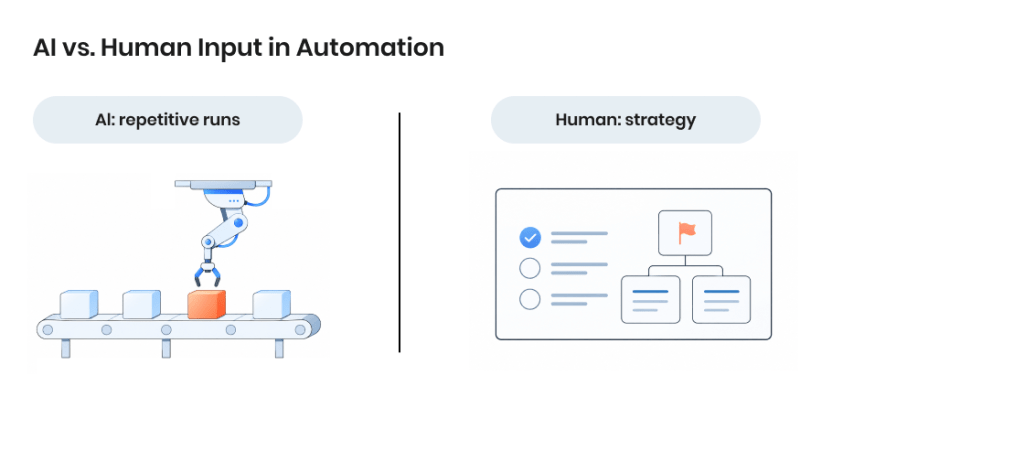
AI handles the repetitive runs; strategy and review stay with the team.
Adoption is near-universal but shallow — lots of experimenting, little run at scale.
Most AI tools sit on top of Selenium and Playwright, not in their place.
No sticker price: free tiers, usage credits, or enterprise quotes, scaling with runs or seats.
A scoped pilot on one suite is the cheapest way to prove value before committing.
AI Test Automation Tools at a Glance
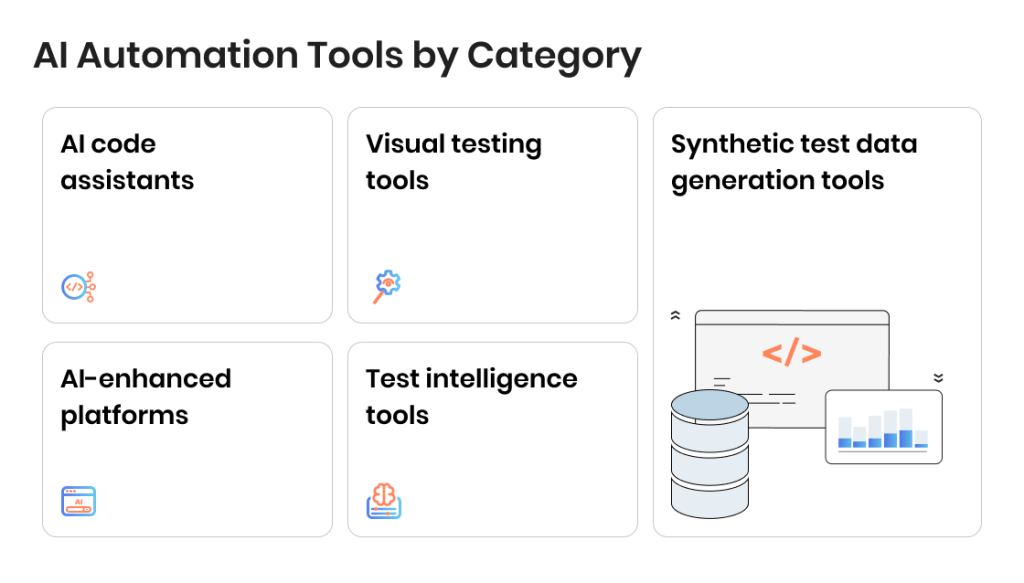
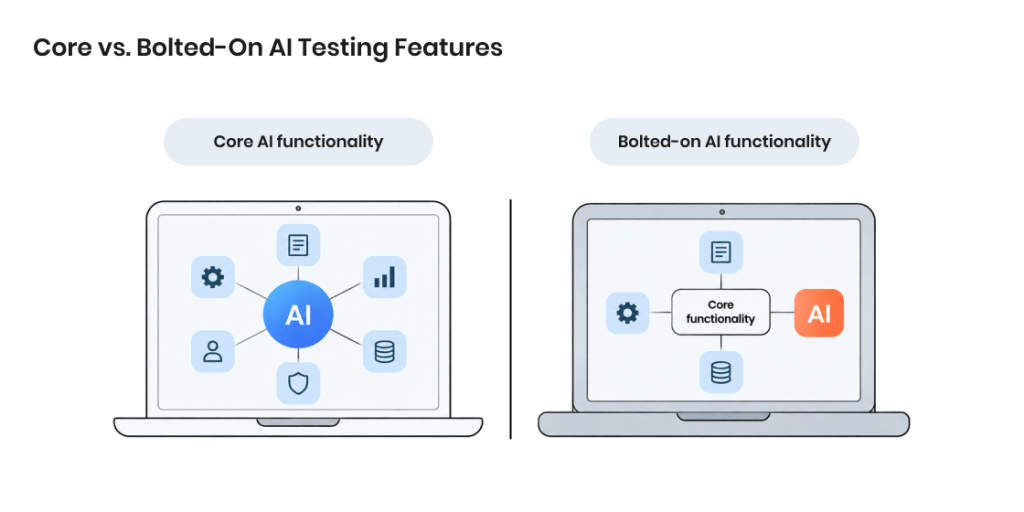
There are various ways to compare AI automation tools, but before making any buying decision, it’s important to consider what matters for you personally. To make it easier to get a first impression, we have compiled all 15 featured tools into one table. Tools there are grouped by category: AI code assistants, AI-enhanced platforms, visual testing tools, test intelligence solutions, and synthetic test data generation tools. The “AI: core or bolted-on” column deserves extra attention — not because one is necessarily better than the other, but because core AI products often cover a wider range of team needs.
Tool
Category
AI: core or bolted-on
Best for
Pricing model
GitHub Copilot
AI code assistant
Core — code + test generation
Devs writing code and tests in-IDE
Freemium → Enterprise
Cursor
AI code assistant
Core — AI-native editor
Devs who want an AI-first IDE
Freemium → Enterprise (usage credits)
Claude Code
AI code assistant
Core — agentic authoring
Devs automating tests from the terminal
Subscription (Pro/Max) or API usage-based
Virtuoso
AI-enhanced platform
Core — NLP authoring + self-heal
Enterprise QA moving codeless
Enterprise (quote)
mabl
AI-enhanced platform
Core — low-code, auto-heal
Agile teams wanting E2E in CI/CD
Enterprise (quote); free trial
Testim
AI-enhanced platform
Core — Smart Locators
Teams needing resilient UI automation
Freemium → Enterprise
Katalon
AI-enhanced platform
Bolted-on — AI on record/keyword base
Mixed manual/automation teams scaling up
Freemium → Enterprise
Tricentis Tosca
AI-enhanced platform
Bolted-on — Copilot/AI on model-based core
Large enterprises with packaged/complex apps
Enterprise (quote)
Applitools
Visual testing
Core — Visual AI diffing
Teams needing visual regression at scale
Freemium → Enterprise
Percy
Visual testing
Bolted-on — pixel/DOM diffing
Teams already on BrowserStack
Freemium → Enterprise
Chromatic
Visual testing
Bolted-on — diffing on Storybook
Frontend teams building with Storybook
Freemium → Subscription
CloudBees Smart Tests (formerly Launchable)
Test intelligence
Core — LLM predictive test selection
Large suites with slow CI
Enterprise (quote), seat-based
Sealights
Test intelligence
Core — ML test/quality analytics
Enterprises needing coverage governance
Enterprise (quote)
Tonic.ai
Synthetic test data
Core — generative synthetic data
Teams needing safe, realistic test data
Freemium → Enterprise (per product)
K2view
Synthetic test data
Bolted-on — GenAI + rules/cloning/masking
Enterprises needing compliant test data across complex systems
Enterprise (quote)
Where each category fits
Here are the best use cases for each of the five AI tool categories.
The problem you’re solving
Category to look at
Tools in this guide
Developers should write tests as they code
AI code assistants
GitHub Copilot, Cursor, Claude Code
Manual testers need to automate without deep coding
AI-enhanced platforms
Virtuoso, mabl, Testim, Katalon, Tricentis Tosca
UI keeps breaking in ways functional tests miss
Visual testing
Applitools, Percy, Chromatic
CI is too slow because every change runs the full suite
Test intelligence
CloudBees Smart Tests, Sealights
Test data is unsafe, unrealistic, or hard to get
Synthetic test data
Tonic.ai, K2view
Test faster, better, and at any scale with AI-powered QA
Now that you’ve gotten your first impression, let’s look at all 15 tools in detail. These tools are organized into five categories, from developer-side code assistants through to synthetic test data generators. Each entry covers what the tool does, whether the expected use of AI in test automation is core or bolted-on, what it works with, its main limitation, and pricing — ideal for making the decision based on what your organization needs, not what a popular tech blog said.
AI code assistants
AI code assistants generate test code the same way they generate application code — from a prompt or the surrounding source, inside the editor or terminal where developers work. They fit developer-led, shift-left teams where engineers own their own testing, not QA specialists inside a dedicated platform.
GitHub Copilot
What it does. Copilot suggests and generates code inline and through chat, and its agent mode can take a task end to end. For testing, it drafts unit and integration tests from a function, a comment, or a prompt, and the coding agent can open pull requests that add or update test files.
Category. AI code assistant.
AI: core or bolted-on. Core — code and test generation is the product itself.
Works with. VS Code, Visual Studio, JetBrains IDEs, Neovim, and GitHub.com, across the major programming languages via frontier models.
CI/CD integration. Deep GitHub integration — the coding agent runs against GitHub Actions and raises PRs, and Copilot Autofix surfaces fixes inside code scanning.
Main limitation. Output is probabilistic and needs review. Generated tests often assert too little or mirror the implementation instead of probing edge cases, and there is no coverage tracking or test management around them.
Pricing model. Freemium → Enterprise. Free ($0, capped), Pro $10/mo, Pro+ $39/mo, Max $100/mo, Business $19/seat, Enterprise $39/seat, with usage-based AI Credits metering premium and agent use since June 2026.
Best for. Developers who want test generation woven into an editor and GitHub workflow they already use.
Cursor
What it does. Cursor is an AI-native editor built on VS Code whose agent writes, runs, and iterates on tests across a codebase from plain-language instructions, using full-repository context rather than a single open file.
Category. AI code assistant.
AI: core or bolted-on. Core — the editor is built around the model.
Works with. Its own VS Code-based editor, the major languages, frontier models, and MCP connections; not a plugin for other IDEs.
CI/CD integration. No native CI product — tests it writes run in the team’s existing pipeline. Background and cloud agents exist, but pipeline execution stays on the team’s own infrastructure.
Main limitation. The usage-based credit system makes heavy agent sessions cost-unpredictable — a large “max mode” refactor can burn a month’s credit pool in an afternoon — and there is no test management or reporting layer.
Pricing model. Freemium → Enterprise. Hobby (free), Pro $20/mo, Pro+ $60/mo, Ultra $200/mo, Teams $40/user/mo, Enterprise custom, all on a usage-based credit pool.
Best for. Developers who want an AI-first editor and will author and maintain tests with full-repo context.
Claude Code
What it does. Claude Code is Anthropic’s agentic coding tool that runs in the terminal and in VS Code or JetBrains. It reads an entire codebase, writes and runs tests, works through failures in a loop, and opens pull requests, with a large context window that suits reasoning over big suites.
Category. AI code assistant.
AI: core or bolted-on. Core — agentic authoring is the product.
Works with. Terminal, VS Code, JetBrains, and desktop, across any language or repository, with MCP support and access via the Anthropic API, AWS Bedrock, or Google Vertex.
CI/CD integration. Runs headless in pipelines and through a GitHub Actions integration for automated, non-interactive test workflows.
Main limitation. No free tier for the CLI — the free plan is chat only — and agentic sessions consume tokens quickly, so automated CI use needs spend caps. It is a general-purpose coding agent with no built-in QA test management or reporting.
Pricing model. Subscription (Pro $20/mo, Max 5x $100/mo, Max 20x $200/mo, Team, Enterprise) or pay-as-you-go API. No standalone free CLI tier.
Best for. Terminal-first developers automating test creation and CI workflows over large codebases.
AI-enhanced platforms
AI-enhanced platforms wrap test authoring, execution, and maintenance into one low-code environment, using AI to heal broken tests and, increasingly, to generate them from plain language or observed user journeys. Their low-code approach lets manual testers automate without deep programming skills, which helps teams close the automation skills gap that makes specialist QA engineers hard to hire.
Virtuoso
What it does. Virtuoso is a codeless, AI-native platform where tests are authored in structured plain English and self-healing element identification adapts to UI changes as the application shifts. It covers functional UI, visual regression, API, and cross-browser testing, with live authoring against the running app and exploratory bots that crawl and map the application.
Category. AI-enhanced platform.
AI: core or bolted-on. Core — NLP authoring and self-healing are the engine.
Works with. Web applications, delivered as SaaS or through a Secure Bridge for private networks; integrates with GitHub, GitLab, Jenkins, Azure DevOps, Jira, and TestRail.
CI/CD integration. Yes — GitHub, GitLab, Jenkins, and Azure DevOps.
Main limitation. Quote-based enterprise pricing that runs higher than many competitors, and a learning curve to its NLP syntax despite the low-code label. Coverage is primarily web-focused.
Pricing model. Enterprise (quote); free trial available. Capacity-based rather than priced per test.
Best for. Enterprise QA teams moving off code-based frameworks who want non-engineers authoring tests.
Disclosure. TestFort has partnered with Virtuoso since 2024, and James Bent, quoted in this article, is Virtuoso’s VP of Solutions Engineering.
mabl
What it does. mabl is an AI-native, low-code platform whose visual trainer records browser interactions into tests, then uses generative-AI auto-healing, intelligent assertions, and autonomous failure analysis to keep them running. It spans web, mobile-web, mobile app, API, accessibility, performance, and visual regression testing, and now positions itself as an agentic testing platform.
Category. AI-enhanced platform.
AI: core or bolted-on. Core — built on AI since 2017.
Works with. Chrome, Edge, Safari, and Firefox, plus mobile and API; a CLI runner and integrations with Jira, Slack, and observability tools.
CI/CD integration. Yes — GitHub Actions and GitLab; local and CI runs are free, while cloud runs consume credits.
Main limitation. No permanent free tier beyond a 14-day trial, and quote-based pricing that scales with cloud-run volume and can climb quickly. It is web-first, with lighter native-mobile depth.
Best for.Agile web teams wanting end-to-end coverage in CI/CD without a dedicated automation-engineering headcount.
Testim
What it does. Testim is a Tricentis-owned, low-code, record-based platform for web, mobile, and Salesforce applications. Its Smart Locators combine machine learning with element metadata to self-heal tests as the UI changes, and it adds visual validation, a Copilot that writes JavaScript custom steps, failure diagnostics, and test management.
Category. AI-enhanced platform.
AI: core or bolted-on. Core — AI-stabilized Smart Locators are its founding capability.
Works with. Web, mobile, and Salesforce; integrates into the wider Tricentis stack, including qTest, and into CI/CD.
CI/CD integration. Yes.
Main limitation. Since the 2022 Tricentis acquisition it has become enterprise-focused with quote-based pricing, so buying it is now a Tricentis procurement decision. Advanced engineers who want code-first control tend to prefer Playwright.
Pricing model. Freemium → Enterprise. A free Community tier, with Essentials, Pro, and Mobile quoted through Tricentis sales.
Best for. Teams wanting resilient recorded UI tests with a vendor behind them, Salesforce teams especially.
Katalon
What it does. Katalon is an all-in-one low-code platform for web, mobile, API, and desktop testing. Katalon Studio handles keyword and record-based authoring, while AI features add StudioAssist for natural-language-to-code, TrueTest for autonomous test generation from real user journeys, self-healing locators, and visual testing; True Platform layers on test management, reporting, and cloud execution.
Category. AI-enhanced platform.
AI: core or bolted-on. Bolted-on — the AI features sit on an established record and keyword-driven base.
Works with. Web, mobile, API, and desktop; native CI/CD with GitHub Actions, Jenkins, GitLab CI, and Azure DevOps.
CI/CD integration. Yes, though headless CI, parallel, and scheduled execution require the paid Katalon Runtime Engine license.
Main limitation. Studio is free to author in, but running tests in CI means buying Runtime Engine, and costs stack across seats, runtime, and cloud-execution packs.
Pricing model. Freemium → Enterprise. Studio is free; True Platform and True Automation seats and Runtime Engine are paid, with a custom Enterprise tier above.
Best for. Mixed manual and automation teams that want one platform across web, mobile, and API as they scale up.
Tricentis Tosca
What it does. Tosca is an enterprise, codeless, model-based platform covering UI, API, and data-layer testing across 160+ technologies, including SAP, Salesforce, mainframe, and other packaged and legacy applications. Risk-based testing, test data management, and service virtualization are built in, and Vision AI (deep-learning UI recognition with self-healing) plus Tosca Copilot supply the AI layer.
Category. AI-enhanced platform.
AI: core or bolted-on. Bolted-on — Vision AI and Copilot sit on an established model-based engine.
Works with. 160+ technologies spanning enterprise, packaged, and legacy apps, web, API, mobile, and data; integrates with CI/CD tools.
CI/CD integration. Yes.
Main limitation. Enterprise licensing where features such as Vision AI, mobile, SAP, and test data management are sold as separate modules, plus a steep learning curve that needs formal training and a proprietary test format that makes switching costly.
Pricing model. Enterprise (quote); named-user licensing, no public pricing.
Best for. Large enterprises automating complex, packaged, or legacy application landscapes.
Need help building a QA process, choosing a tool, or scaling testing?
Visual testing catches the layout and rendering bugs that pass a functional check but still look broken to a user, by comparing each build against an approved visual baseline and flagging what changed. It suits teams shipping frequent front-end changes to design systems and component libraries, where a passing assertion does not guarantee the page looks right.
Applitools
What it does. Applitools adds visual testing to an existing automation framework rather than replacing it — the Eyes SDK plugs into Selenium, Cypress, Playwright, or Appium, captures a screenshot at each checkpoint, and its Visual AI uses computer vision to judge whether a change is meaningful instead of comparing pixels. A companion Autonomous product and a Storybook addon extend it toward component-level and self-directed testing.
Category. Visual testing.
AI: core or bolted-on. Core — Visual AI, its computer-vision diffing engine, is the product.
Works with. Selenium, Cypress, Playwright, Puppeteer, Appium, and Storybook, across web and mobile UIs.
CI/CD integration. Yes — integrates with CI and posts visual-diff status checks on pull requests.
Main limitation. It covers only visual testing, so a separate tool is still needed for functional coverage. Paid pricing is quote-based and driven by checkpoint volume, with a one-year minimum and no month-to-month option.
Pricing model. Freemium → Enterprise. A permanent free tier (100 checkpoints/month), a Starter tier from around $99/month, and quote-based Team and Enterprise plans.
Best for. Teams that want the most mature visual-AI diffing layered onto the framework they already run.
Percy
What it does. Percy, part of BrowserStack, captures DOM snapshots as functional tests run, re-renders them consistently in its cloud across browsers and viewports, and diffs each build against a Git-branch baseline before posting a pull-request check. Re-rendering on upload removes a class of local-environment flakiness.
Category. Visual testing.
AI: core or bolted-on. Bolted-on — DOM and pixel diffing rather than an AI-native visual engine.
Works with. The broadest SDK support in this group — Selenium, Playwright, Cypress, Puppeteer, WebdriverIO, Storybook, and Appium among others.
CI/CD integration. Yes — pull-request checks across most CI providers.
Main limitation. BrowserStack has pulled Percy’s public pricing page, so paid tiers now run through sales, and third parties report post-acquisition price increases. Each browser and viewport combination multiplies the billed snapshot count.
Pricing model. Freemium → Enterprise. A free tier of roughly 5,000 screenshots per month, then metered paid plans quoted through BrowserStack.
Best for. Teams already on BrowserStack, or those wanting broad end-to-end visual coverage across many frameworks.
Chromatic
What it does. Chromatic, built by the Storybook team, captures each Storybook story as an image, recaptures and diffs it against a Git-aware baseline on every code change, and gates the pull request. It also provides a UI Review approval workflow and versioned Storybook hosting, with TurboSnap re-snapshotting only the stories a change affects.
Category. Visual testing.
AI: core or bolted-on. Bolted-on — Git-aware image diffing rather than an AI-native engine.
Works with. Storybook and component-driven front ends such as React and Vue; most CI providers.
CI/CD integration. Yes — pull-request checks, with a flag to keep visual changes from failing the build until a reviewer approves them.
Main limitation. It is built around Storybook, so teams whose UI is not defined there get little from it. Snapshot counts climb with viewports and browsers on large design systems unless TurboSnap is tuned.
Pricing model. Freemium → Subscription. Free (5,000 snapshots/month), Starter $179/month, Pro $399/month, with per-snapshot overage.
Best for. Frontend teams whose component library and source of truth already live in Storybook.
Test intelligence
Test intelligence tools do not create or run tests — they analyze code changes and past results to decide which tests actually matter for a given build, so teams stop running full suites for small changes. Running only the relevant tests has cut build times by more than 20% for teams drowning in slow CI, freeing computing time and shortening feedback loops.
CloudBees Smart Tests (formerly Launchable)
What it does. CloudBees Smart Tests, the product formerly sold as Launchable, uses machine learning and LLMs to read each code change and pick the subset of tests most likely to be affected, producing an optimized run that prioritizes critical tests and safely skips redundant ones. It also triages failures, flags flaky tests, and surfaces test-suite health insights.
Category. Test intelligence.
AI: core or bolted-on. Core — LLM-based predictive test selection is the product.
Works with. Language-agnostic; plugs into existing CI systems and test runners, available on the CloudBees platform and AWS Marketplace.
CI/CD integration. Yes — built to sit inside CI, selecting tests per commit or pull request.
Main limitation. It optimizes an existing suite rather than writing tests, so teams need mature automation already in place, and predictive selection needs a history of runs before its recommendations become dependable. Pricing is seat-based and not public.
Pricing model. Enterprise (quote), seat-based.
Best for. Teams with large, slow test suites that want faster CI feedback without dropping coverage.
Sealights (now Tricentis SeaLights)
What it does. Sealights is a quality intelligence platform that maps every code change to the tests covering it, then reports where coverage is missing and which tests are worth running. Test Gap Analytics surfaces untested code, quality gates block risky merges, and Test Impact Analytics recommends the tests to run for each build across the full stack.
Category. Test intelligence.
AI: core or bolted-on. Core — AI-driven test impact and gap analysis is the engine.
Works with. CI/CD pipelines, issue trackers, and version control, across Java, Node.js, Python, Go, C#, .NET, React, and Angular among others; integrates with the wider Tricentis stack.
CI/CD integration. Yes — it plugs directly into the pipeline to collect coverage and impact data on every build.
Main limitation. It measures and prioritizes rather than authoring or executing tests, so it complements an automation suite instead of replacing one, and dependable test selection takes weeks of varied runs to calibrate. It is enterprise-only, quote-based, and now part of Tricentis following the 2026 acquisition.
Pricing model. Enterprise (quote).
Best for. Enterprises shipping continuously that need coverage governance and evidence-based release decisions.
Synthetic test data
Synthetic test data tools generate realistic, privacy-safe datasets — either by de-identifying production data or building records from scratch — so teams can test against production-like data without exposing real PII. They matter most in regulated industries and complex relational systems, where manual mock data rarely covers the edge cases that break applications.
Tonic.ai
What it does. Tonic.ai provisions safe, production-like test data through a product suite: Structural connects to production databases and masks or de-identifies data while preserving schema and referential integrity, Fabricate generates synthetic records from scratch or modeled on an existing database, and Textual redacts sensitive information in free text and documents. A patented subsetter creates isolated datasets so teams avoid collisions in shared environments.
Works with. Production databases and leading data sources through native connectors, an API, and an MCP server, across structured, semi-structured, and unstructured data.
CI/CD integration. Yes — integrates into pipelines and automated test suites to provision fresh data on demand for regression and load testing.
Main limitation. It feeds a test suite rather than running tests, so it complements automation rather than replacing it, and the full workflow spans three separately priced products.
Pricing model. Freemium → Enterprise, priced per product. Fabricate has a free tier; Structural and Textual scale to Enterprise quotes.
Best for. QA and engineering teams that need safe, referentially intact test data drawn from real production schemas.
K2view
What it does. K2view generates synthetic and masked test data using an entity-based approach — it collects all the data for a business entity such as a customer or order from every source system, then masks, subsets, or synthesizes it while keeping relationships intact across systems. It combines generative AI, a rules engine, entity cloning, and data masking, and provisions data to testers through a self-service portal or to CI/CD via API.
Category. Synthetic test data.
AI: core or bolted-on. Bolted-on — generative AI is one of four generation methods on a broader data-product platform.
Works with. Any structured or semi-structured source across complex, multi-system enterprise landscapes; CI/CD pipelines via API.
CI/CD integration. Yes — API-driven provisioning fits automated pipelines, with scheduled or on-demand refreshes.
Main limitation. Its strength is large, entity-heavy enterprise environments, so it is heavier than teams with a single database need. It is enterprise-only, with quote-based pricing and no public rates.
Pricing model. Enterprise (quote).
Best for. Enterprises needing compliant test data with referential integrity across many interconnected systems.
Is your QA process optimized for maximum efficiency?
The important thing to keep in mind about shopping for an AI automation solution is that there isn’t currently a tool that ticks every box. The approach that works best is matching the tool category and capabilities to the key problems the QA team is trying to solve and the stakeholders.
What CFOs, CIOs and CTOs each care about
Tool selection pulls in several stakeholders, each weighing a different risk.
CFO. Cost and return — the total beyond licensing, including training, implementation, and runtime or credit consumption, and whether the tool pays back.
CIO. Fit with existing systems — whether it streamlines delivery and saves the team time rather than adding overhead.
CTO. Integration, security, and compliance — a clean fit with the current stack and no disruption to pipelines.
Assigning a neutral owner to run the selection, someone outside the day-to-day, keeps the decision balanced.
Key points for evaluation
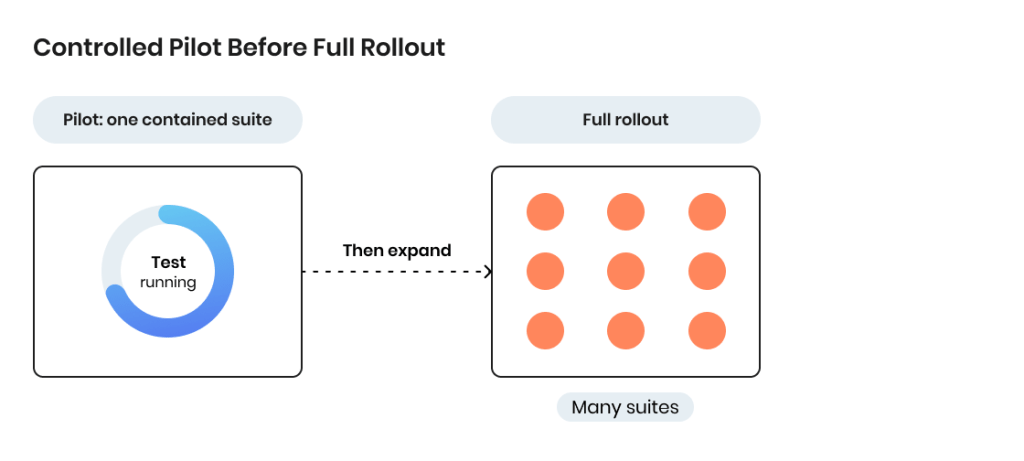
No single tool covers every testing need, so most teams run a mix or keep manual processes alongside. Coverage across UI, API, and backend layers varies, and many tools lean heavily on UI. A pilot on a contained suite is the safest way to prove value before a full rollout — one fintech team cut regression testing from three days to six hours this way, and a banking team surfaced three critical edge-case bugs from AI-suggested tests.
Words by
James Bent, VP of Solutions Engineering, Virtuoso
“We’re seeing AI get us 80% of the way there when it comes to test case generation, but there’s always that last 20% where human testers step in.”
Questions to ask an AI testing vendor
Ask what the tool doesn’t do — credible vendors are upfront about limits. Ask how it fits current processes, and press on the specifics of its AI: test authoring, self-healing, and how it interprets results. Then count the full cost.
Words by
Bruce Mason, UK and Delivery Director, TestFort
“Consider resource allocation and licensing costs. The CFO will want to see a clear return on investment.”
Regulation and compliance
Most QA automation falls under the low-risk categories of emerging AI rules such as the EU AI Act, so it avoids the scrutiny applied to high-risk domains like healthcare or finance. The practical obligations are to keep AI processes transparent and documented, and to confirm data handling for any tool that sends source code or production data to a vendor cloud.
How we evaluated these tools
Every claim here was checked against the vendor’s own site or documentation rather than carried from other listicles. For each tool, TestFort’s automation team judged whether AI sits at the core or is bolted onto an existing engine, noted CI/CD fit and a real limitation, and recorded the pricing model. What this review did not do: run head-to-head benchmarks or lab performance tests, and prices reflect published models, not negotiated quotes.
Key Trends in the AI Test Automation Tools Market
A few years ago, when AI in automation was still a novelty, it was easy to imagine what the future would look like because it wasn’t fully clear where the industry would go. Right now, the line between the present and the future is blurred: current trends reflect what’s already happening in the market, not just predicting the future.
Advanced test case generation
AI already turns user stories into basic test cases, though complex scenarios still call for human oversight. The capability is widening toward detailed cases across more paths, cutting manual effort further as it matures.
Words by
James Bent, VP of Solutions Engineering, Virtuoso
“We’re at a point where AI can create the majority of test cases, but it’s not far off before we see tools that can handle almost everything. The goal is to make test creation something testers barely have to touch.”
Integration with DevOps
Tighter coupling with CI/CD pipelines is reducing the manual work of keeping tests running inside continuous testing and delivery. As AI gets better at predicting issues and adjusting tests on its own, it becomes a more seamless part of the DevOps flow — faster feedback, fewer release bottlenecks.
Words by
Bruce Mason, UK and Delivery Director, TestFort
“The next step is making AI tools work alongside DevOps without extra effort. Eventually, we’ll see a lot of this automation happening without testers having to be involved as much.”
AI-driven test maintenance
Self-healing is moving past fixing individual broken elements toward handling larger shifts in system architecture. Maintenance that once consumed hours becomes largely automated, freeing testers for higher-level strategy and planning.
Words by
James Bent, VP of Solutions Engineering, Virtuoso
“AI might soon be able to go beyond self-healing individual elements and start understanding broader patterns in the system. That’s when we’ll really start to see major efficiency gains.”
Predictive testing
Pattern analysis is developing into predictive testing, where tools anticipate where bugs are likely to surface based on historical data. Teams can then test failure-prone areas proactively, catching issues before they reach users and shifting testing from reactive to strategic.
Words by
Maxim Khymii, AQA Lead, TestFort
“We’re already seeing tools that analyze performance data to flag potential problem areas.”
Wider adoption of no-code/low-code testing
Low-code and no-code platforms keep accelerating, letting testers build automated tests without extensive coding. As these tools grow more capable, automation reaches a wider range of QA team members, lowering the barrier to entry and easing the specialist skills shortage that slows many teams.
Let our QA experts discover bugs in your products before users do
Working with AI test automation tools on a variety of projects, we strive to always stay on top of the latest developments in the industry. Some time ago, we held an online discussion on the trends that shape the future of AI automation.
The panel brought together three practitioners working with AI test automation day to day:
Taras Oleksyn, a leading AQA consultant
James Bent, VP of Solutions Engineering, Virtuoso
Bruce Mason, Delivery Director, TestFort
The discussion covers:
How to evaluate and implement AI-powered test automation tools
The impact of AI tools on existing QA processes and team roles
Strategies for integrating AI with current testing workflows
Practical use cases of AI improving test efficiency and coverage
How to pilot AI solutions and avoid common pitfalls
Balancing automation with human oversight in AI-driven testing
Key trends shaping AI test automation
Wrapping Up
The modern market for AI automation tools is undoubtedly crowded, but it doesn’t mean you have to choose blind from dozens of options. Automation experts often point out that even the best AI automation testing tools can turn out to be wrong for the job when they are picked based on hype alone, without any regard for project specifics like goals, existing tool infrastructure, and team strengths.
A more practical approach to determine which tool is right for you, apart from evaluating each item on your shortlist separately and against each other, is to give every tool a trial run on a contained suite. This helps you see whether the solution does the job without interrupting the normal workflow while also exposing the gaps that are not visible in demos.
FAQ
What are the best AI test automation tools in 2026?
Fifteen stand out across five categories: code assistants (GitHub Copilot, Cursor, Claude Code), AI-enhanced platforms (Virtuoso, mabl, Testim, Katalon, Tricentis Tosca), visual testing (Applitools, Percy, Chromatic), test intelligence (CloudBees Smart Tests, Sealights), and synthetic test data (Tonic.ai, K2view). The right one depends on the team’s stack.
What’s the difference between AI tools for testing and traditional automation tools?
Traditional tools run hand-written scripts. AI tools add test generation, self-healing, and test prioritization. Most platforms now combine both.
Can AI testing tools replace Selenium or Playwright?
Usually not. Many layer on top of them — visual and test-intelligence tools especially. Codeless platforms like Virtuoso and mabl come closest to a replacement.
How much do AI test automation tools cost?
No single price. Models range from free and freemium (Copilot, Katalon, Applitools, Tonic.ai) through usage-based credits (Cursor, Claude Code) to enterprise quotes (Virtuoso, mabl, Tosca, Sealights, K2view). Cost scales with runs or seats.
Where should a small QA team start with AI test automation?
A free tier and one contained pilot. A code assistant or freemium platform proves the approach with no contract; then expand once it holds.
Share:
Jump to section
Elevate your product quality with expert testing and QA
A commercial writer with 13+ years of experience. Focuses on content for IT, IoT, robotics, AI and neuroscience-related companies. Open for various tech-savvy writing challenges. Speaks four languages, joins running races, plays tennis, reads sci-fi novels.
Maxim has more than 10 years of experience in software quality assurance, development, and management. His key areas of expertise are automation of functional, performance, and load testing, as well as services and API test automation. Maxim possesses great analytical skills and strong knowledge of numerous test automation frameworks and tools.








 What are the best AI test automation tools in 2026?
 What are the best AI test automation tools in 2026?