
Software teams rarely decide to skip testing. What usually happens is more subtle: testing gets pushed to the side by deadlines, new features, and the pressure to move fast. At first, this feels manageable. Releases go out, users sign up, and problems are handled as they appear. Over time, however, small testing shortcuts turn into recurring issues that slow teams down and make every release feel riskier than it should.
A clear testing strategy helps break that cycle. It gives teams a way to decide what to test, how to test it, and where to focus limited effort for the biggest impact. This guide looks at software testing strategies that work in real-world conditions, showing how to build a practical approach to testing that supports growth, protects quality, and keeps teams moving forward with confidence.
Key Takeaways
- A software testing strategy helps teams make deliberate trade-offs between speed, risk, and quality instead of relying on last-minute checks.
- Testing becomes more effective when it is treated as part of the delivery process rather than an activity squeezed in before release.
- Even small and fast-moving projects benefit from a clear test strategy that defines priorities and reduces uncertainty.
- Different types of software testing exist to cover different risks, and no single testing type is sufficient on its own.
- Manual and automated testing should be balanced carefully, with automation supporting stability rather than replacing human judgment.
- Clear ownership of testing responsibilities prevents gaps and reduces reliance on ad-hoc decision-making.
- Testing strategies should be updated regularly to reflect changes in the software, the team, and real-world usage.
- A lightweight, well-defined testing strategy is far more effective than reactive testing without structure.
Why Teams Often Struggle With Software Testing
In many product teams, software testing is not intentionally neglected. It is postponed, improvised, or treated as a secondary activity that fits around development work. When delivery pressure is high, testing often becomes something teams do only when there is spare time, not a defined part of the testing process.
This creates a gap between software development and testing. Features move quickly through implementation, but testing lacks structure. Without a test strategy, testing efforts stay reactive, quality risks are addressed late, and software quality becomes inconsistent. Over time, this makes even small changes feel risky and slows the entire team down.
The most common trap: “We test when we have the time”
This pattern appears in many growing software teams. Testing is not planned as a testing phase with clear goals. Instead, it happens at the end of development, if the schedule allows. A developer may do a quick check, a QA specialist might run a few test cases, and the release moves forward.
In this situation, testing is not guided by a clear testing approach. There is no agreement on which type of test is required for each change or which testing activities are critical. Unit testing may exist in isolation, but it is rarely supported by consistent integration testing or regression testing. Manual testing happens irregularly, and automated testing is often postponed for later stages.
Because testing is treated as optional rather than expected, it is the first thing sacrificed when deadlines tighten. This creates an illusion of speed while quietly increasing software bugs and reducing confidence in the software being tested.
What actually breaks when there is no test strategy in place
Without a test strategy, problems rarely appear all at once. Instead, issues accumulate across the software over time. Features that previously worked stop working after new releases. Changes in one area affect other software functions in unexpected ways. Performance issues surface only after users are already affected.
When there is no test strategy in place, testing focuses on what is easiest to check rather than what carries the most risk. There is no shared understanding of testing types, no clarity on how testing verifies whether the software meets expectations, and no consistent way to evaluate software quality.
As a result, testing is shallow and inconsistent. Founders, product owners, or team leads often become the final layer of acceptance testing, reviewing features late in the process. Instead of ensuring that the software meets stability and usability expectations, testing becomes a last-minute safety net. This makes effective software testing difficult to sustain and turns delivery into a cycle of urgent fixes rather than a controlled, repeatable process.
You can do more with your QA without increasing your spending — let us show you how.

What a Software Testing Strategy Really Is
A software testing strategy is not a heavy document or a corporate artifact — it is a shared understanding of how testing is done, why certain testing types are chosen, and how quality is protected as the software changes. A clear test strategy helps teams move from reactive testing to intentional testing, even when resources are limited.
At its core, a software testing strategy defines how testing fits into the software development life cycle. It explains how testing ensures that the software meets expectations, where testing focuses, and how it verifies the most critical aspects of software. Without this clarity, testing activities become fragmented, inconsistent, and highly dependent on individual effort.
Test strategy vs. ad-hoc testing
Ad-hoc testing is what happens when testing has no structure. Someone checks a feature quickly, runs through a few screens, and decides the software is “probably fine.” This kind of testing can catch obvious issues, but it does not scale and does not protect software quality over time.
A test strategy, on the other hand, replaces guesswork with intent. It defines which testing types are required, which type of testing is appropriate for different changes, and how testing tasks are prioritized. Instead of asking whether there is time to test, teams know what testing is required for testing software at each testing stage.
With a test strategy in place, testing becomes the process that supports delivery rather than blocking it. Testing involves planned checks, not random exploration, and testing efforts are aligned with real risk instead of convenience.
Test strategy vs. test plan: How different are they?
These two terms are often confused, but they serve different purposes. A test strategy sets direction, while a test plan describes execution details for a specific scope or release. Here are the key differences between a test strategy and a test plan.
| Aspect | Test strategy | Test plan |
| Purpose | Defines the overall approach to testing | Describes how testing will be executed |
| Scope | Long-term, applies across the software | Limited to a release or testing phase |
| Focus | Testing approach, priorities, and testing types | Test cases, schedules, environments |
| Level of detail | High-level and stable | Detailed and changeable |
| Ownership | Shared across the team | Usually owned by QAs |
A team can have a test strategy without a detailed test plan early on. What matters most is that testing activities follow a consistent direction instead of changing from release to release.
What a strong testing strategy must include
The important thing to understand about a successful testing strategy is that it doesn’t need to try to cover everything. Instead, it should focus on what matters most for the software being tested and keeps testing sustainable over time.
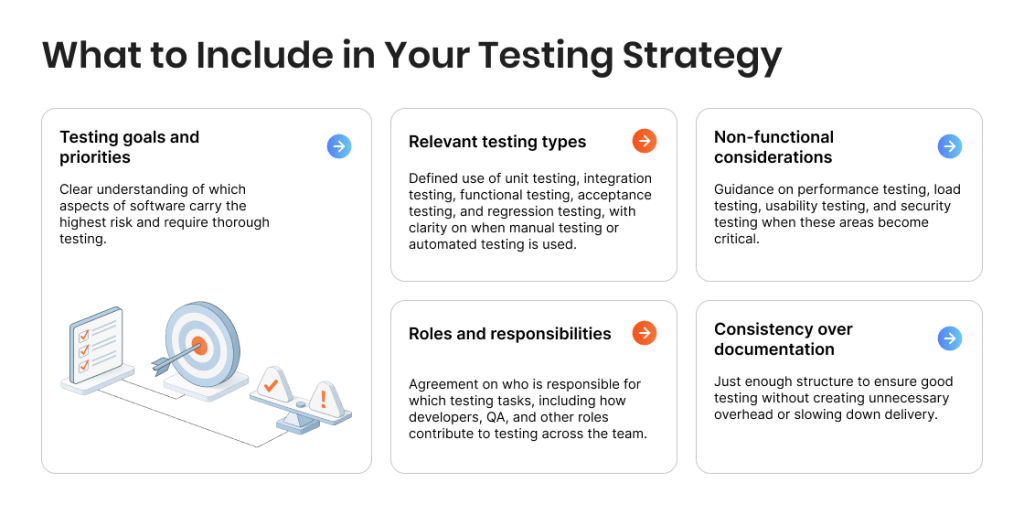
Here is what a good testing strategy typically includes:
- Testing goals and priorities. Clear understanding of which aspects of software carry the highest risk and require thorough testing.
- Relevant testing types. Defined use of unit testing, integration testing, functional testing, acceptance testing, and regression testing, with clarity on when manual testing or automated testing is used.
- Non-functional considerations. Guidance on performance testing, load testing, usability testing, and security testing when these areas become critical.
- Roles and responsibilities. Agreement on who is responsible for which testing tasks, including how developers, QA, and other roles contribute to testing across the team.
- Consistency over documentation. Just enough structure to ensure good testing without creating unnecessary overhead or slowing down delivery.
A well-defined testing strategy makes testing predictable and repeatable. It supports effective software testing, improves software quality, and ensures the software meets expectations without introducing unnecessary complexity and rigidity to the testing process.
Why Even Small Projects Need a Test Strategy
When a product is still small, it is easy to assume that a formal test strategy can wait. Fewer features, fewer users, and a smaller team can create the illusion that testing can stay informal. In practice, this is exactly the stage where a clear testing strategy brings the most value.
Early projects change fast. Features evolve, priorities shift, and the software is updated frequently. Without a test strategy, testing becomes reactive and inconsistent, which increases risk with every release. A lightweight software testing strategy provides structure without slowing progress and helps teams maintain software quality as the product grows.
Protecting speed rather than slowing it down
A clear test strategy improves speed by reducing uncertainty and rework. When teams know which testing types are required and when testing should happen, they avoid late surprises and emergency fixes. Regression testing protects existing software functions, unit testing supports faster feedback, and automated testing reduces repetitive manual testing, allowing teams to focus testing efforts where risk is highest.
Reducing executive involvement in QA
Without a test strategy, executives often become the final layer of acceptance testing. A defined testing approach shifts this responsibility back to the team by making testing results predictable and repeatable. Clear test cases and consistent testing activities help ensure the software meets expectations without requiring leadership to manually review every release.
Additional benefits of a test strategy
Even at a small scale, a test strategy delivers benefits in addition to speed and reduced executive involvement:
- More predictable releases. Testing across changes reduces last-minute uncertainty and makes delivery timelines more reliable.
- Better use of limited QA resources. A clear strategy helps prioritize testing tasks and apply the right testing type where it matters most.
- Higher confidence in software quality. Consistent testing checks improve the reliability of software products and support long-term trust.
- Stronger foundation for growth. As the software application evolves, a solid software testing strategy makes it easier to add new testing techniques and scale testing without chaos.
A software testing strategy is essential not because a project is large, but because change is constant. Even small projects benefit from a well-defined testing strategy that protects speed, quality, and focus as the product moves forward.
Don’t leave quality to chance — let us build a QA strategy that works for you

Key Types of Software Testing Featured in Test Strategies
A strong software testing strategy does not rely on a single testing type. It combines different types of software testing to cover risk at multiple levels, from individual code changes to real user scenarios. Each test type serves a specific purpose in the testing process, and understanding these differences helps teams apply testing more effectively without unnecessary effort.
Unit testing
Unit testing focuses on verifying individual components of the software in isolation and is usually performed by developers. This testing type often follows white-box testing and structural testing principles, providing fast feedback during software development but limited insight into how components work together.
Integration testing
Integration testing checks how different parts of the software interact with each other and with external systems. This testing type helps reveal issues that do not appear during unit testing, such as data flow problems or interface mismatches between software components.
Functional testing
Functional testing verifies that software functions behave as defined by requirements and as expected by users. It focuses on what the software does rather than how it is built and is commonly used to check core workflows and business logic.
Acceptance testing
Acceptance testing confirms whether the software meets agreed expectations and is ready for release. This testing type is typically performed at the end of a testing stage to validate real-world usage scenarios from a business or user perspective.
Regression testing
Regression testing ensures that existing functionality continues to work after changes are made. This testing type is essential for maintaining software quality over time, as even small updates can introduce unexpected issues in previously stable areas of the software.
The Next Stage: Performance Testing and Usability Testing
As software changes and usage grows, functional checks alone are no longer enough. At this stage, non-functional testing becomes essential to understand how the software performs under real conditions and how users actually experience it. Performance testing and usability testing are often postponed, but they play a critical role in protecting software quality and user trust.
When performance testing becomes necessary
Performance testing becomes necessary when software usage increases, response times slow down, or infrastructure changes introduce uncertainty. This testing type examines how the software performs under expected and peak conditions, including scenarios covered by load testing. Without performance testing, teams may discover bottlenecks only after users are affected, making fixes more expensive and disruptive.
Why usability testing should not be skipped
Usability testing focuses on how real users interact with the software and whether workflows feel intuitive and efficient. This testing type often reveals issues that functional testing cannot catch, such as confusing navigation or unclear feedback. Combined with exploratory and usability testing, it helps ensure the software meets user expectations and supports long-term adoption rather than just technical correctness.
Manual and Automated Testing: How to Strike the Right Balance
Manual and automated testing are often treated as competing options, but in practice, they solve different problems. A sustainable testing approach uses both, applying each where it reduces risk most effectively. The balance is not fixed and should adapt as the software changes.
What is manual testing best suited for?
Manual testing is most valuable when understanding behavior matters more than repetition. It is commonly used to explore new features, validate usability, and investigate unclear or changing requirements. Because manual testing allows flexible thinking, it works well for exploratory testing and early-stage validation, where rigid test cases would miss important context.
For many teams, manual testing means discovery, and there are few types of testing as perfectly suited for discovery as exploratory testing. Exploratory testing — where testers design and execute tests on the fly while learning the system — is used by many organizations to find bugs early when structured tests aren’t enough. It’s not random ad-hoc exploration, but a disciplined approach to uncover unexpected issues.
This testing type also plays a key role when the software is still unstable. In these situations, frequent changes make automation expensive to maintain, while manual testing can adapt quickly and provide meaningful feedback.
What is automated testing best suited for?
Automated testing becomes effective when software behavior stabilizes and needs to be checked repeatedly. It is especially useful for regression testing, unit testing, and integration testing, where consistency and speed matter more than interpretation. Automated tests help confirm that existing functionality continues to work and reduce the risk of introducing unnoticed defects.
By running automated checks regularly, teams gain fast feedback and reduce the amount of manual testing needed for routine scenarios. This allows testing efforts to stay focused on higher-value work instead of repetitive verification. Moreover, framework ideas such as keyword-driven tests can help bridge manual and automated testing by making automated scripts easier to maintain and share across teams.
How to make automation and manual testing work together
The most common automation failures come from trying to automate too much, too early. A strong test strategy defines clear boundaries: which testing features are stable enough to automate and which require ongoing manual validation. Automation should support the testing process, not replace thoughtful testing decisions.
When manual and automated testing are treated as complementary rather than interchangeable, teams avoid overengineering. Automation handles predictable checks, while manual testing focuses on judgment-heavy scenarios. This balance helps maintain software quality without adding unnecessary complexity.
Automation testing vs. Manual testing: Can one replace the other?

How to Build a Testing Strategy With Limited Resources
A test strategy does not need to be perfect to be useful. With limited time and a small team, the goal is to make testing predictable, repeatable, and focused on the highest-risk parts of the software being tested. This step-by-step testing process is designed to keep testing efforts realistic while still improving software quality.
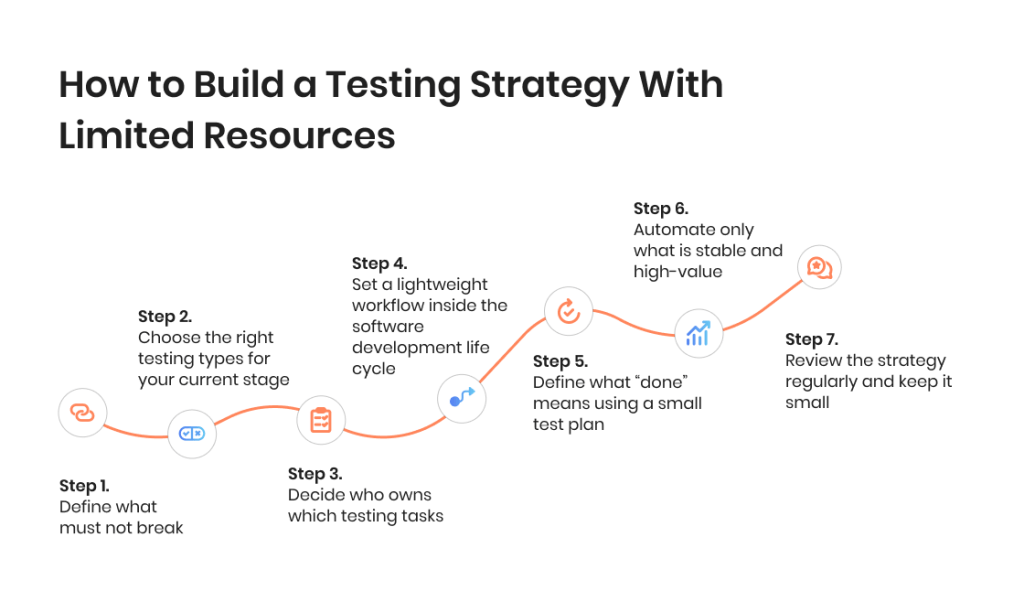
Step 1: Define what must not break
Start by identifying the core workflows that keep the business running. These are the areas where software bugs cause the most damage: sign-up, login, checkout, payments, key data flows, permissions, and anything customers touch frequently. This is where testing focuses first, and where regression testing will eventually bring the most value. If you do nothing else, protect these paths with a small set of clear test cases.
Step 2: Choose the right testing types for your current stage
You don’t need all types of software testing at once. Pick the testing activities based on risk and stability. Unit testing should cover critical logic; integration testing should cover key system connections; functional testing should confirm essential software functions; acceptance testing should validate release readiness. Add non-functional testing later when needed, such as performance testing, load testing, usability testing, and security testing. This is how software testing strategies stay lean while still being effective.
Step 3: Decide who owns which testing tasks
Limited resources fail when ownership is unclear. Define responsibilities explicitly: developers own unit testing and basic checks around their changes; the QA (if available) owns the testing approach, test case structure, and higher-risk validation; product or leadership supports acceptance testing with clear criteria, not ad-hoc approvals. Even with minimal testing teams, this clarity prevents gaps and stops testing from becoming “everyone’s job” and therefore no one’s job.
Step 4: Set a lightweight workflow inside the software development life cycle
A well-defined testing strategy fits the software development life cycle instead of sitting outside it. Decide when testing happens: quick checks during development, a short testing phase before release, and a small regression testing pass for core flows. Keep it simple and repeatable. This is the point where testing is the process, not an afterthought, and where good testing becomes achievable without adding process overhead.
Step 5: Define what “done” means using a small test plan
You do not need a long test plan, but you do need a shared definition of done. For each release, list what was changed, what testing type applies, what test cases must be executed, and what risks remain accepted. This keeps testing activities visible and ensures the software meets basic expectations before it ships. It also prevents late surprises that destroy speed.
Step 6: Automate only what is stable and high-value
Automation works best when it reduces repeated effort. Start with regression testing for the most stable, high-risk workflows. Add automated testing gradually, focusing on tests that run often and rarely change. Use manual testing for new or shifting features, exploratory testing, and exploratory and usability testing where human judgment matters. This balance supports comprehensive testing over time without overengineering.
Step 7: Review the strategy regularly and keep it small
A test strategy is not a one-time document. It should evolve with the software, the team, and real production feedback. Review it every few weeks: which testing checks caught issues, which areas were missed, and what should be added or removed. This keeps your software testing strategy essential, practical, and designed to make sure you’re prepared for current risk.
It’s also worth noting that the test strategy for new vs. legacy code will not be the same. Here is how context determines the essence of the strategy:
- Legacy code bases often start with high-level tests around core flows and add tests gradually.
- New projects may benefit from test-first or test-driven development to set quality expectations early.
Common Test Strategy Mistakes to Avoid
Many testing problems do not come from a lack of effort, but from decisions that feel reasonable at the time only to end up backfiring in the long run. These mistakes often appear when teams adopt a testing strategy that does not match their reality or treat testing as an isolated activity instead of part of the overall testing process.
1) Copying enterprise testing strategies
Enterprise testing strategies are designed for large testing teams, stable processes, and long planning cycles. Applying them directly to a smaller software environment usually leads to overcomplicating things. Heavy documentation, complex approval flows, and excessive testing activities slow delivery without improving software quality.
A strong software testing strategy should match the current scale of the software and the team. Comprehensive testing sounds appealing, but without the resources to support it, it often results in unfinished test cases, outdated test plans, and abandoned automation. Good testing is about focus and relevance, not about copying processes that were built for a different context.
2) Treating QA as a final checkpoint
When QA is positioned as the last step before release, testing becomes a bottleneck instead of a safety net. Issues are discovered late, fixes are rushed, and testing verifies problems that could have been prevented earlier. This approach also puts unfair pressure on testing teams to “catch everything” at the end of the testing stage.
A well-defined testing strategy distributes testing across the software development life cycle. Developers contribute through unit testing, integration testing happens as systems connect, and QA focuses on higher-risk validation and coordination. When testing is integrated into development, software quality improves and delivery becomes more predictable.
3) Ignoring regression testing until it’s too late
Regression testing is often delayed because it does not deliver immediate visible value. Early on, teams rely on memory and manual checks, assuming they will notice if something breaks. As the software grows, this becomes unrealistic.
Without regression testing, even small changes can break existing functionality. Bugs reappear, confidence drops, and testing efforts increase without improving results. Introducing regression testing early, even with a small set of critical test cases, protects core software functions and prevents quality issues from compounding over time.
End-to-end software testing for 15 Seconds of Fame: How a test strategy proved essential in achieving project goals

When to Rethink Your Testing Strategy
A test strategy should evolve as the software changes. What worked early on may stop working as features expand, user base increases, and the cost of failure grows. Recognizing when a testing approach no longer fits is key to maintaining software quality without slowing delivery.
How to know if your current approach no longer works
Several signals indicate that your testing strategy needs adjustment. Releases start to feel risky, even when changes are small. Software bugs appear in areas that were previously stable. Testing activities increase, but confidence does not. Teams spend more time fixing issues after release than preventing them during the testing phase.
Another sign is when testing no longer provides useful feedback. If testing checks feel repetitive but still miss critical issues, or if testing involves mostly manual verification of known paths, the strategy may no longer match real risk. At this point, testing ensures effort, but not results.
When bringing external QA help makes sense
External QA support becomes valuable when internal testing efforts cannot keep up with change. This may happen when the software grows faster than the testing process, when non-functional testing, such as performance testing or security testing, becomes necessary, or when there is no time to build a robust software testing strategy internally.
External testing teams can help assess the current testing approach, introduce effective testing techniques, and cover gaps without long-term overhead. Used correctly, external QA does not replace internal ownership. It strengthens the testing strategy and helps restore confidence that the software meets quality expectations as it evolves.
Key Roles in a Smart Software Testing Strategy
A software testing strategy works only when responsibilities are clear. Even with limited resources, defining who owns which part of testing helps avoid gaps, duplication, and last-minute surprises. A smart testing strategy aligns expectations with roles and ensures testing supports the software instead of blocking progress.
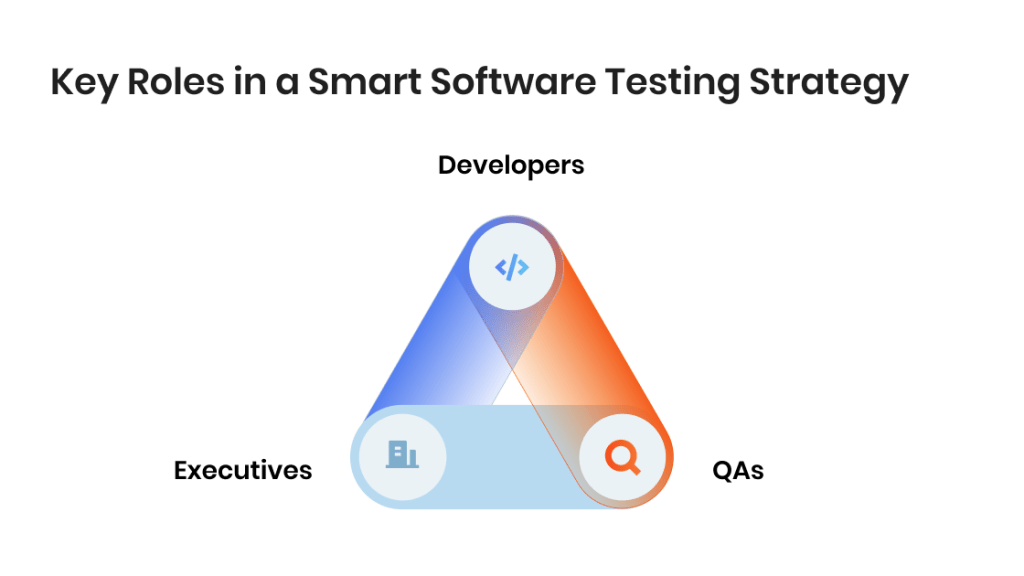
Executives
Executives play a critical role in setting priorities for testing, even if they are not involved in day-to-day testing activities. Their responsibility is to define acceptable risk, support the testing strategy, and ensure testing is treated as a necessary part of delivery rather than an optional task.
When executives clarify what “good enough” means and where testing efforts should focus, they reduce pressure on teams to rely on ad-hoc checks. This helps ensure the software meets business expectations without executives becoming a substitute for a testing process.
Developers
Developers contribute to testing from the earliest stages of software development. Their primary responsibility is unit testing and basic structural testing around the code they write. This helps catch issues early and prevents defects from moving further into the testing process.
By supporting integration testing and maintaining automated testing where appropriate, developers help ensure software functions work together as intended. Their involvement strengthens the overall testing strategy and reduces the burden on QA later in the testing stage.
QAs
QA specialists are responsible for coordinating and guiding testing across the team. They define the testing approach, select appropriate testing types, and ensure testing activities align with risk. QA focuses on functional testing, regression testing, and exploratory testing, while also supporting usability testing and non-functional testing when required.
Rather than acting as a final checkpoint, QA ensures that testing verifies quality consistently throughout the process. This role is essential for maintaining software quality and adapting the testing strategy as the software evolves.
Effective testing doesn’t have to be expensive — our experts will help you do more with what you have

Our Approach to Test Strategy Creation
From our experience, a QA strategy is a practical working document that helps coordinate QA and development teams on how testing is done on a project. It defines the scope of testing, clarifies what is out of scope, and sets expectations around automation when it is used. The strategy also covers team roles and responsibilities, test environments, and supporting infrastructure, including tools and devices.
Another important part of the QA strategy is test execution planning. This includes start and stop criteria, how testing activities interact with development work, and when key checks must be completed, such as running regression testing before approving a release candidate for production. Potential risks are also documented early, including blocker issues or instability in test environments that could delay testing.
We treat the QA strategy as a higher-level guide rather than a detailed test plan. It helps oversee the QA process across one or multiple product teams and keeps testing consistent as the software evolves. While a QA strategy is not always created by default, we strongly recommend having one for every project where our QAs are involved, as it significantly improves communication and reduces misunderstandings between teams.
Final Thoughts
A software testing strategy helps teams make better choices in uncertain conditions. Instead of relying on last-minute checks or individual judgment, it creates a shared understanding of how quality is protected as the software evolves. This clarity allows teams to focus on building the right features with confidence, even when change is constant.
The most effective testing strategies are rarely complex. They evolve with the software, reflect real constraints, and prioritize what matters most at each stage. When testing is in sync with how teams actually work, it stops being a source of friction and becomes a quiet but powerful driver of confidence, quality, and sustainable progress.
FAQ
 What is a test strategy in software testing?
 What is a test strategy in software testing?
A test strategy in software testing defines the overall approach to testing across a software project. It explains which testing strategies are used, how testing fits into development, and how testing verifies that the software meets quality and risk expectations.
Why do software teams need testing strategies?
Testing strategies help teams manage risk as software changes. Without clear test strategies in software testing, testing becomes reactive, inconsistent, and dependent on individuals. A defined strategy ensures testing efforts are focused, repeatable, and aligned with business priorities.
What are testing strategies in software engineering?
Testing strategies in software engineering describe structured ways to plan and organize testing activities. They combine different testing strategies, such as unit testing, integration testing, regression testing, and non-functional testing, to ensure software quality across the software development life cycle.
How do you choose the right test strategies in software testing?
The right test strategies in software testing depend on risk, product maturity, and available resources. Teams should prioritize critical software functions first, then add testing strategies gradually as the software grows and testing needs increase.
How often should a test strategy be updated?
 How often should a test strategy be updated?
A test strategy should be reviewed regularly as the software evolves. Changes in architecture, user behavior, or release frequency often require updates to testing strategies to ensure testing remains effective and aligned with current risk.
Jump to section
Hand over your project to the pros.
Let’s talk about how we can give your project the push it needs to succeed!