Codeless Test Automation: How to Make No Code Automation Work for You
There is a lot of buzz around codeless test automation, but how to do it right and maximize its potential? Find out from our guide to codeless automation testing.
No-code automation often gets presented as the obvious shortcut: automate faster, spend less, lean on engineers less, and never write a line of code. When your team is under constant pressure to do more with less, a pitch like that is hard to walk past. But whether or not codeless automation works isn’t the biggest question here — by now, we know that it does. The question is whether it works the way people assume it will.
As more organizations try out no-code testing tools, the distance between the marketing and the day-to-day of these solutions is starting to show. Some teams do get real benefits in the form of speed and coverage. Others end up quietly wrestling with fragile tests, maintenance that keeps piling up, and nobody is quite sure who owns what. Working out where codeless automation pays off, and where it doesn’t, turns out to be a strategic call more than a technical one. That’s exactly what we’re looking into here: no-code test automation, the things to consider when picking tools, and what codeless testing can realistically do for you.
Key Takeaways
Codeless test automation is an approach to test automation that allows teams to create, execute, and maintain automated tests using visual tools and configuration instead of writing code directly.
“No code” typically means code still being present but not immediately accessible to the user, not the absence of automation logic or technical complexity.
Codeless testing delivers the most value when applied to stable, repeatable user flows rather than highly dynamic or logic-heavy scenarios.
Most effective automation strategies combine codeless, low-code, and code-based approaches rather than relying on one model.
Tool selection matters less than how well codeless automation fits existing testing processes and team capabilities.
Faster test creation does not guarantee better test quality without clear standards and review practices.
Teams often underestimate the effort required to scale codeless automation beyond initial pilot projects.
External expertise can accelerate setup, reduce risk, and help avoid common structural mistakes in automation programs.
The future of codeless testing lies in hybrid automation models, not in replacing traditional automation entirely.
What Is Codeless Test Automation
Codeless test automation lets teams automate test execution without writing code. Instead of custom test scripts, you work through visual interfaces, configuration options, and prebuilt logic. So rather than pulling in developers or QA engineers to write code automation from scratch, a team uses a codeless testing tool to lay out test steps as plain actions — click this, select that, enter some data, check the result. The tool takes those actions and turns them into automated tests that run across web, mobile, or application testing environments.
What codeless test automation definitely doesn’t do is remove the need for testing expertise or technical thinking. It just moves the effort. Less time writing and babysitting code, more time spent on test creation, test design, and deciding what your test coverage should actually cover. Under the hood, most codeless automation testing platforms are still riding on traditional automation engines — they’ve just made them easier to reach, so teams can build tests, manage test cases, and automate test scenarios faster without hitting as many technical walls.
How does no-code automation testing work?
This model is often described as no-code or scriptless test automation, though most tools still rely on code behind the scenes to ensure reliable test execution. Here is how scriptless automation works:
Users define test steps using visual editors, record-and-playback flows, or drag-and-drop actions
Results are reported without requiring users to write code or manage test scripts directly
The testing tool converts those steps into executable automated tests
Tests run on a test automation platform across browsers, devices, or environments
New blog post: 30 automation testing trends to look out for in 2026
No-code automation and low-code automation both aim to reduce the effort required to automate test scenarios, but they solve different software testing problems. No-code testing focuses on allowing tests to be created without writing code at all. In that case, the team can rely on visual editors, predefined actions, and configuration. This approach is designed to make test automation accessible to teams with limited coding knowledge who want to speed up test creation and execution, provided that the environments they work in are stable or only moderately complex.
Low-code automation, in turn, sits between codeless automation testing and traditional automation testing. It reduces the amount of code needed but still allows teams to extend, customize, or fine-tune automated tests using scripts when required. Low-code test automation is often the preferred choice when teams want faster automation than fully coded approaches allow, but still need flexibility for complex test logic, integrations, or edge cases that no-code testing tools cannot easily handle.
Here is a quick breakdown of low-code vs. no-code automation testing: their uses, strengths, weaknesses, and more.
Stable user flows, early automation, business-facing apps
In practice, many teams use both approaches together in their test automation projects. No-code testing tools help automate common test cases quickly, while low-code automation fills the gaps where deeper control or custom behavior is needed.
How Codeless Is Codeless Automation, Really?
Codeless automation tools exist so testers don’t have to write and maintain automation code by hand. But that’s not the same as the code going away completely. Most codeless testing platforms are still generating code in the background, and they still lean on traditional automation engines to actually run the tests. What’s really happening is that all of that gets removed out of sight behind visual editors, predefined actions, and configuration layers.
This gap between expectation and reality is a frequent topic in industry discussions. As one QA professional put it in a Reddit thread on codeless test automation:
“My biggest complaint is they promise ‘no code,’ but the moment you have async modals, iframes, or dynamic elements, you’re back in the weeds writing selectors anyway. Go in with realistic expectations. They aren’t a silver bullet.”
A commenter from another Reddit thread believes that the need to still write some code can benefit the project in the long run:
“Even if you end up writing a little code, a handful of solid tests will save more time than 20 flaky codeless ones.”
In reality, you can automate plenty of test scenarios without writing a single script, but the complex cases, the edge conditions, the integrations — those still tend to need to be looked at by someone technical. Teams that understand this early tend to adopt codeless automation with the right expectations: it’s not a complete substitute for traditional automation, but rather an accelerator for your everyday testing needs.
Not sure whether codeless automation is for you or where to get started?
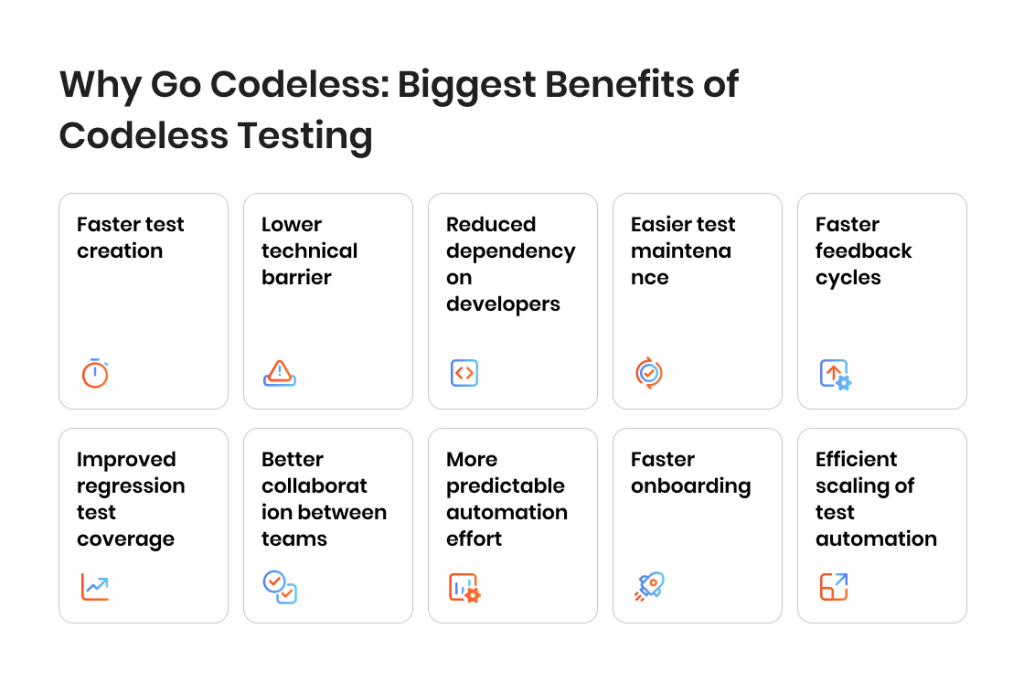
Why Go Codeless: Biggest Benefits of Codeless Testing
The biggest appeal of codeless testing is speed. When you’re not writing code for every test, it takes far less effort to create, update, and run your automated tests, and that lets test automation move quicker. Using visual workflows instead of scripts, teams can expand their test coverage sooner and keep testing synced with ongoing software development, rather than always trailing behind it.
Key benefits of codeless testing
Faster test creation. Teams can automate test scenarios quickly using a codeless testing tool instead of writing and maintaining code-based test scripts.
Lower technical barrier. Codeless automation testing allows testers and business users to create tests without deep programming knowledge.
Reduced dependency on developers. Routine test automation tasks can be handled without pulling developers away from product work.
Easier test maintenance. Updating test steps in a codeless automation tool is often simpler than maintaining coded test scripts.
Faster feedback cycles. Automated tests run earlier and more often, supporting continuous testing and quicker release decisions.
Improved regression test coverage. Reusable test cases help teams automate regression test flows more consistently.
Better collaboration between teams. Shared testing tools and visual test creation improve communication between QA, product, and business roles.
More predictable automation effort. Teams can plan test creation and maintenance with fewer surprises compared to traditional automation.
Faster onboarding. New team members can start working with a codeless testing platform without learning complex frameworks.
Efficient scaling of test automation. Organizations can expand automated testing coverage without significantly increasing engineering effort.
What You Can and Cannot Do With Codeless Automated Testing
Codeless automated testing definitely works, but only as long as you use it for the right test scenarios and workflows. It’s at its best where the application behaves predictably, where user interactions follow predictable paths, and where you can express your testing rules through configuration instead of custom logic. Knowing those boundaries keeps teams from overestimating what codeless test automation can do, and from missing the spots where another approach is still the right call.
That said, codeless testing runs into limits. Teams inevitably notice them as systems get more complex, change more often, or start needing deeper technical validation. The idea isn’t to fit every single test into a codeless automation tool. It’s to use it where it genuinely pays off and pair it with other kinds of test automation everywhere else.
What codeless automation testing solutions do well
Standard functional test coverage. Codeless testing tools are well-suited for functional test scenarios that follow consistent user flows and expected outcomes.
Regression test automation. Teams can automate regression test cases efficiently and rerun them across releases with minimal test maintenance.
End-to-end test scenarios. Common user journeys can be covered through end-to-end test flows without writing code.
Web application testing. Many codeless automation tools provide strong support for browser-based and web testing scenarios.
Visual test validation. Some platforms support visual test checks to detect UI changes without defining complex assertions.
Faster test execution at scale. Reusable test cases and centralized test execution help improve overall test coverage.
Where no-code automation meets its limits
Complex test logic. Scenarios that require advanced conditions, calculations, or dynamic decision-making are difficult to express without code.
API testing and backend validation. While some tools offer basic support, deeper API testing often requires code-based automation.
Highly dynamic interfaces. Applications with frequent UI changes can still increase test maintenance effort, even in codeless automation testing.
Custom integrations. Integrating with internal systems, non-standard workflows, or proprietary tools may exceed platform capabilities.
Precise control over test execution. Advanced tuning, custom reporting, or low-level control typically requires code automation.
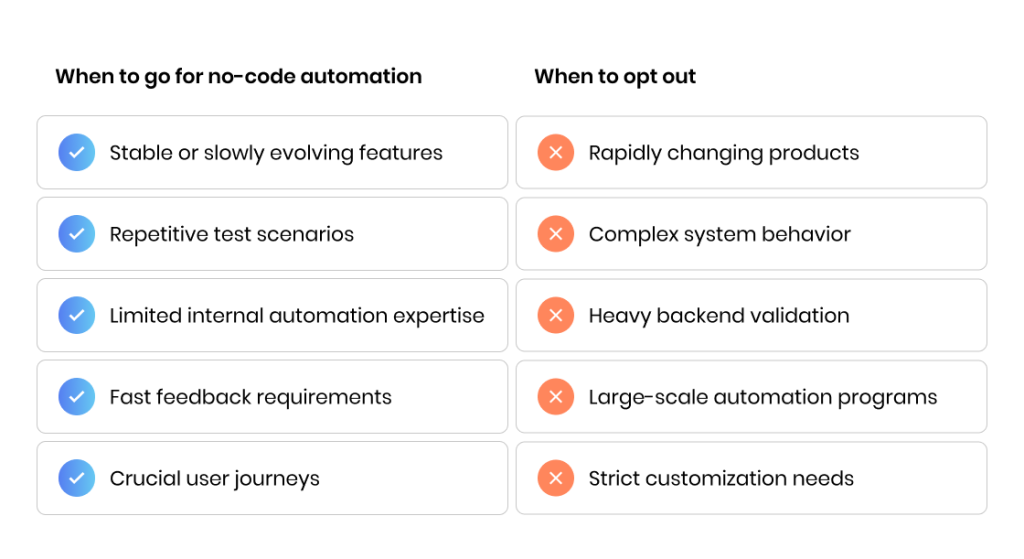
When No-Code Automation Makes Sense and Where It Doesn’t
No-code automation pays off most when the context is right for it, but it’s not really the type of testing that has the biggest impact here. The deciding factor is how stable your product is, how often things change, and how much control your team needs over the way tests behave. The organizations that treat no-code automation as a fit for specific situations rather than a blanket replacement for everything are the ones that get the best results out of it.
Words by
Maxim Khimiy, AQA Lead, TestFort
“No-code tools can genuinely improve collaboration because everyone can see and review what’s being tested. Without clear standards, however, that visibility quickly turns into over-automation and tests that follow the UI but miss real risk.”
Here is how to determine whether codeless automation testing makes a good fit for your product, team structure, and testing goals before investing time or effort.
When no-code automation makes sense
Stable or slowly evolving features. No-code testing works well when user flows and UI behavior change infrequently.
Repetitive test scenarios. Standard workflows and repeatable test cases benefit most from codeless automated testing.
Limited internal automation expertise. Teams without strong code automation skills can still automate test coverage effectively.
Fast feedback requirements. No-code testing supports quicker test creation and execution when release cycles are tight.
Crucial user journeys. Common paths can be covered early to reduce risk without heavy automation overhead.
When to opt out of or postpone codeless automation
Rapidly changing products. Frequent UI or logic changes can increase test maintenance even in codeless automation tools.
Complex system behavior. Applications with advanced logic, calculations, or data dependencies often require code-based automation.
Heavy backend validation. Scenarios that rely on deep API testing or system-level checks are better handled with technical automation.
Large-scale automation programs. Long-term test automation strategies usually combine no-code, low-code, and traditional automation.
Strict customization needs. Teams requiring fine-grained control over test execution and reporting may outgrow no-code approaches.
When used wisely, no-code automation helps teams move faster and reduce manual test effort. Trying to force the codeless approach can create false expectations and limit long-term scalability. The key is understanding where codeless testing accelerates results and where other automation approaches remain essential.
Test faster and control your QA spending with automation — get it all with our AQA expertise
Getting started with codeless test automation is less about selecting the right tool and more about preparing the right foundations. Teams that approach no-code testing as a quick replacement for manual test work often struggle, while those that treat it as part of a broader testing process achieve more consistent results. Here is how to make sure your organization is prepared for the shift in your QA approach.
1. Define what to automate first
Start by identifying stable, high-value test scenarios that are repeated across releases. These are typically the best candidates to automate test execution using a codeless testing tool, before expanding to broader coverage.
2. Establish clear test ownership
Even without writing code, automated tests need clear ownership. Define who is responsible for test creation, test execution, and ongoing test maintenance to avoid gaps and inconsistencies.
3. Standardize test cases
Codeless automated testing works best when test cases follow a consistent structure and naming. Clear test steps and expected outcomes reduce ambiguity and improve long-term reliability.
4. Prepare test data and environments
Reliable test data and stable environments are critical for successful test automation. Inconsistent data or unstable environments often cause automated tests to fail regardless of the automation approach.
5. Start small and expand gradually
Begin with a limited test suite to validate the testing process and tooling. Once results are stable, gradually scale test automation to additional scenarios and features.
6. Match automation to release cycles
Automated test execution should support existing development and release workflows. Integrating codeless testing into regular release cycles improves feedback timing and adoption.
7. Plan for ongoing test maintenance
Codeless testing reduces maintenance effort, but it does not remove it. Applications change over time, and automated tests must be reviewed and updated to remain effective.
Codeless Automation Testing Tools and What They’re Best For
The market for codeless automation testing tools has grown fast, with platforms designed for all sorts of testing needs, team sizes, and levels of technical complexity. Some lean into web application testing and UI-driven workflows. Others put the emphasis on scriptless test creation, visual testing, or working with bigger test automation platforms. Understanding those differences benefit you more than trying to find one “best” tool that doesn’t really exist. Here’s a quick look at the codeless test automation tools worth knowing in 2026, and where each one actually earns its keep.
Category
Focus
Strengths
Limitations
Best for
Examples
UI-driven codeless testing tools
Automating user interactions through visual test creation and recorded flows
Fast test creation, low entry barrier, good for standard UI scenarios
Fragile with frequent UI changes, limited complex logic support
Web application testing, regression test coverage, stable user journeys
Testim, Leapwork, CloudQA
Record-and-playback automation tools
Capturing user actions and replaying them as automated tests
Very quick setup, minimal configuration
High maintenance, poor scalability, limited control
Early automation experiments, smoke tests, simple UI flows
Ghost Inspector, BugBug, Selenium IDE
Visual testing–centric tools
Detecting UI changes through visual comparison rather than assertions
Effective at catching layout and UI regressions
Limited logic or data validation
UI consistency checks, design-heavy applications
Applitools (visual layer), Percy (visual layer)
Scriptless test automation platforms
Creating automated tests via predefined actions and configuration instead of scripts
Structured test creation, better reuse than basic record-and-playback
Constrained by platform capabilities
Teams moving from manual testing to structured automation
ACCELQ, Leapwork
Low-code codeless hybrid tools
Visual test creation with optional code extensions
Better flexibility, handles edge cases
Requires technical skills when extending
Growing automation programs, hybrid strategies
Katalon Studio, Testim
End-to-end codeless automation platforms
Covering test creation, execution, and reporting in one platform
Centralized management, governance support
Higher learning curve, vendor dependency
Organizations scaling automation across teams
ACCELQ, Perfecto
No-code automation tools for web
Browser-focused tools optimized for web UI automation
Strong cross-browser support
Limited backend or API depth
Testim, Ghost Inspector, CloudQA
Customer-facing web products
Tips for choosing a codeless testing tool for your project
The best codeless automation tool for you probably isn’t the one with the longest feature list. What actually matters is the fit — with your testing goals, with how your team is set up, with where you see your automation strategy going over the next few years. Here are a few practical tips for making sure the tool you settle on works with your processes, goals, and capabilities:
Define automation scope. Focus on which test scenarios you plan to automate first and avoid tools that overpromise beyond your real needs.
Check change resilience. Evaluate how the testing tool handles UI changes, locator updates, and evolving workflows.
Assess scalability early. Ensure the platform can support growing test suites and increasing test automation volume.
Confirm technical flexibility. Look for options to extend or integrate with code automation when codeless testing reaches its limits.
Verify workflow integration. The tool should fit into your existing testing process, including CI/CD and test execution reporting.
Match team capabilities. Choose a codeless testing tool that aligns with who will create tests and manage test maintenance.
Evaluate total cost of use. Rather than focusing on just licensing fees, consider onboarding, maintenance effort, and long-term limitations.
Review vendor reliability. Among other things, you need to assess the proposed product roadmap, support quality, and long-term platform stability.
Make automation work for you — we’ll build the perfect strategy for your QA needs
Selenium/Playwright Automation vs. Classic Automation vs. Codeless Automation: Does Your Strategy Need All Three?
There likely isn’t a single successful modern test automation strategy that leans on just one approach. As the product grows, teams tend to find that an automation model that handles every testing need well on its own doesn’t exist yet. Selenium automation, classic code-based automation frameworks, codeless automation — each approach is good at solving a different problem. This is why the real work isn’t picking a winner; figuring out how to get them working together is usually the bigger challenge. Here is how to better understand the right approach for you.
The role of Selenium automation
Selenium automation is widely used for browser-based testing where flexibility and control are critical. It allows teams to automate complex test scenarios, handle dynamic behavior, and integrate deeply with development pipelines. Selenium-based test automation is typically maintained by engineers or experienced QA specialists and is well-suited for long-term, large-scale automation programs.
The role of classic code-based automation
Classic automation frameworks extend beyond Selenium to include custom code automation, backend checks, and advanced integrations. This approach is essential when teams need precise control over test execution, complex validations, or deep integration with application logic. Code-based automation forms the backbone of testing strategies for systems with high complexity or strict quality requirements.
The role of codeless automation
Codeless automation focuses on speed and accessibility. It allows teams to automate test scenarios quickly without writing code, making it easier to cover common user journeys and repetitive test cases. Codeless automated testing is particularly effective for accelerating regression test coverage and supporting fast feedback cycles alongside more technical automation.
Why many teams use all three
Each approach has strengths that compensate for the limitations of the others:
Selenium automation provides flexibility and control for complex web testing
Classic automation supports deep technical validation and scalability
Codeless automation accelerates test creation and reduces manual test effort
Used together, these approaches help teams balance speed, coverage, and long-term maintainability. Organizations that try to force all testing into a single automation model often face higher costs and slower progress than those that adopt a layered strategy. At the end of the day, the choice comes down to the project goals, available resources, and having a realistic idea of the strengths and weaknesses of each approach.
What Are the Challenges of No-Code Test Automation?
No-code test automation lowers the barrier to getting started, but a lot of its challenges only show up once you’re past that first wave of adoption. As your test automation efforts increase and settle into regular delivery cycles, the limits start to appear — mainly around control, maintenance, and whether the whole thing holds up over the long run. These are the challenges teams run into most often.
1. Limited support for complex test scenarios
No-code automation tools are designed for standard flows, not advanced logic. Scenarios involving complex conditions, calculations, or dynamic behavior often require workarounds or additional code automation.
2. Hidden test maintenance effort
While codeless testing speeds up test creation, ongoing maintenance can still grow as applications evolve. UI changes, locator updates, and workflow adjustments gradually increase the effort needed to keep automated tests reliable.
3. Dependency on a single tool
Heavy reliance on one codeless automation tool can lead to vendor lock-in. Migrating tests or adapting to platform limitations may become difficult as automation coverage expands.
4. Scalability constraints
Some no-code testing platforms work well for small or medium test suites but struggle when test volumes increase. Managing large test suites, parallel test execution, and reporting can become challenging over time.
5. Reduced transparency in failures
Simplified execution on the user’s side hides much of the underlying automation logic. When tests fail, teams may spend more time diagnosing issues compared to code-based automation.
6. Inconsistent test quality
Lower technical barriers make it easier to create automated tests, but not always better ones. Without clear standards, test cases can become redundant, fragile, or misaligned with real user behavior.
7. Integration limitations
Integrating no-code testing into complex CI/CD pipelines or custom workflows may require additional technical effort. Some platforms offer limited flexibility when connecting to existing development or testing tools.
8. Overestimated skill independence
Codeless automation reduces the need to write code, but it does not remove the need for testing expertise. Designing effective test scenarios, managing test data, and interpreting results still require experienced QA involvement.
Words by
Maxim Khimiy, AQA Lead, TestFort
“No-code usually looks great at first, which is why teams overestimate early success. But, without clear ownership and solid QA practices, it quickly turns from a quick win into ongoing maintenance pain.”
Can You Do No-Code Automation In-House, Or Do You Need an External Team?
No-code automation lowers the technical barrier to test automation and makes automation accessible even to people with no in-depth tech knowledge. What it doesn’t do is remove the need for structure, ownership, or real testing expertise. So, whether or not you can handle codeless testing entirely in-house comes down to something other than the tool. It mainly depends on how your testing is organized, maintained, and scaled as time goes on. And plenty of organizations never land cleanly on in-house or outsource anyway. They end up somewhere in between, splitting responsibility differently as their automation grows.
In-house no-code automation: what teams need in place
Running no-code automation in-house requires more than access to a codeless testing tool. Teams need clear ownership of test creation and test maintenance, agreed testing standards, and time allocated for ongoing updates. Without this structure, automated tests often become unreliable or fall out of sync with the product.
Typical team structure for in-house codeless automation
Even with no-code testing, successful teams usually rely on a small set of defined capabilities. These roles may be shared across people, but accountability still needs to be clear.
Test automation owner responsible for overall direction, priorities, and quality standards
Contributors who create tests, update test cases, and manage day-to-day test maintenance
Technical support for integrations, complex test scenarios, or hybrid automation needs
Product or QA stakeholders who match automated testing to release goals
Where do in-house teams often hit limits?
In-house teams often struggle as automation expands beyond initial use cases and becomes part of regular delivery cycles.
Scaling test coverage across multiple features or products
Maintaining consistency and quality across growing test suites
Combining codeless automation with code-based or Selenium automation
Supporting complex workflows or integrations without slowing delivery
Balancing test automation work with other development and QA priorities
When does involving an external team make sense?
External support becomes valuable when speed, scale, or risk reduction matters. Teams often involve external specialists to help design the automation approach, set standards, handle complex integrations, or accelerate test automation projects without overloading internal resources. This support does not replace in-house ownership, but strengthens it instead.
Why hybrid models are the most common outcome
In practice, many organizations adopt a hybrid model. Core testing knowledge and day-to-day test creation stay in-house, while external teams support setup, scaling, or advanced automation needs. This approach allows teams to benefit from no-code automation while keeping long-term control and flexibility.
Let’s talk value: Find out how to make automation for you.
The Near Future of No-Code Testing Automation: Where Do We Go From Here?
No-code testing automation is growing up. It’s moving out of the early experimentation phase into something more deliberate and concise. As organizations gain experience with codeless automation testing, their expectations are getting more realistic too. Nobody is reasonably trying to replace every form of automation. Teams are figuring out where no-code testing genuinely adds speed and where they still need other approaches to do the job. Here’s what the next few years might hold for the codeless automation process.
Words by
Maxim Khimiy, AQA Lead, TestFort
“We are already seeing no-code tools expected to do more than execute tests fast — teams want insights that help them spot risk and focus testing effort. How valuable these tools become will depend as much on how QA teams work as on how the platforms progress.”
Stronger hybrid automation models
No-code testing is increasingly used alongside low-code and traditional automation rather than as a standalone solution. Teams are adopting hybrid models that allow them to automate simple and repeatable test scenarios quickly, while still relying on code-based automation for complex test logic and advanced validation.
Improved support for test maintenance
Tool vendors are placing more emphasis on reducing test maintenance effort, which remains one of the biggest challenges of test automation. Better locator strategies, reusable test components, and smarter handling of UI changes are becoming central to the evolution of codeless testing platforms.
Deeper integration with delivery pipelines
No-code automation is becoming more tightly integrated into CI/CD workflows and continuous testing practices. This allows automated tests to run more consistently as part of regular release cycles rather than as isolated testing activities.
Increased focus on governance and test quality
As test creation becomes easier, organizations are paying more attention to standards and oversight. Clear guidelines for test design, review processes, and test ownership are becoming critical to prevent large test suites from becoming inconsistent or unreliable.
Broader testing scope beyond UI automation
While UI testing remains the core focus, codeless automation tools are gradually expanding into areas such as API testing and data validation. This shift reflects growing demand for broader test coverage without fully reverting to code-heavy approaches.
Final Thoughts
No-code test automation pays off when a team treats it as a capability worth building over time instead of a way to skip the hard parts. When applied correctly, it changes who can take part in automation and how fast feedback reaches the people making the decisions. But, like anything that promises to make hard work easy, what you get back depends on context and discipline.
Most organizations are no longer asking whether codeless automation belongs in their testing strategy. The harder question is how to introduce it and keep it working over time. Get the balance right, with enough structure and enough oversight, and no-code automation can finally settle in as a normal part of building reliable software.
FAQ
What is codeless automation, and how is it different from traditional test automation?
Codeless automation is a testing approach where teams create automated tests using visual interfaces instead of writing code. Unlike traditional automation, it lowers the entry barrier but still relies on underlying automation engines. It simplifies test creation, but a comprehensive testing strategy still needs to be in place.
Is codeless test automation really “no code,” or is that just marketing?
In reality, codeless test automation means less code, not zero code. Most codeless automation testing tools generate and manage code behind the scenes. For simple scenarios, teams rarely touch it; for complex cases, technical input is often still required.
What types of testing are best suited for no-code test automation?
No-code test automation works best for functional testing, regression testing, and standard end-to-end user flows. It is especially effective for web application testing where user behavior is predictable and repeated across releases.
What are the main risks of adopting codeless test automation?
The main risks include overestimating how much can be automated without expertise, underestimating test maintenance, and becoming dependent on a single platform. Without clear ownership and standards, codeless test automation can create fragile tests rather than sustainable coverage.
Is no-code automation testing cheaper than traditional automation?
No-code automation testing can reduce initial costs and speed up adoption, but it is not automatically cheaper long-term. Licensing, maintenance effort, scaling challenges, and integration needs all affect total cost and should be evaluated beyond early wins.
Share:
Jump to section
Hand over your project to the pros.
Let’s talk about how we can give your project the push it needs to succeed!
Inna is a content writer with close to 10 years of experience in creating content for various local and international companies. She is passionate about all things information technology and enjoys making complex concepts easy to understand regardless of the readers tech background. In her free time, Inna loves baking, knitting, and taking long walks.
Maxim has more than 10 years of experience in software quality assurance, development, and management. His key areas of expertise are automation of functional, performance, and load testing, as well as services and API test automation. Maxim possesses great analytical skills and strong knowledge of numerous test automation frameworks and tools.








 What is codeless automation, and how is it different from traditional test automation?
 What is codeless automation, and how is it different from traditional test automation?